How to run a paperless job site
A step-by-step playbook for moving daily reports, checklists and photos off paper, from the first pilot crew to every site.
Why paper still wins on most sites
Clipboards survive for a reason. They never need charging, they never lose signal, and every foreman already knows how to use one. On a busy site, a pen and a carbon-copy form is the fastest way to get something down and move on.
The problem isn’t the paper itself. It’s everything that happens after the paper leaves the job site. Reports get typed up at night from memory. Photos stay on personal phones, mixed in with family pictures. A failed inspection item sits in a folder in the truck until someone remembers to mention it. By the time the office sees the problem, it is two days old and twice as expensive.
Going paperless works when the new way is genuinely easier for the person standing in the mechanical room with gloves on. If it is, adoption takes care of itself. If it isn’t, no amount of training or mandates will keep crews using it once the novelty wears off. Everything in this playbook comes back to that one test.
Before you start: audit the paper you already have
Spend an hour collecting every form your crews fill in during a normal week. Lay them out on a table and sort them into three piles:
- Used every day: daily logs, timesheets, safety checks, toolbox talks.
- Used on specific jobs: startup and commissioning sheets, inspection checklists, punch lists.
- Rarely used or duplicated: forms that ask for the same information twice, or that nobody in the office actually reads.
The third pile is a quick win. Every form you can retire before you go digital is one less thing to rebuild. It is also the clearest sign of what the office really needs from the field, which is usually less than the paperwork suggests.
While you are at it, ask two or three foremen what annoys them most about the current process. You will hear about rewriting the same job number on every page, chasing signatures, and photos that never make it to the right place. Those complaints are your design brief.
Step 1: pick one crew and one form
Resist the urge to digitise every form at once. A big-bang rollout spreads attention thin, multiplies the number of things that can go wrong, and gives sceptics plenty of ammunition. Instead, choose the report your crews fill in most often, usually the daily log, and one crew lead who is open to trying something new.
- Copy the existing paper form field for field. Familiarity beats perfection in week one.
- Keep only what the office actually reads. If nobody uses a field, drop it now rather than later.
- Pre-fill everything you can: job name, address, crew members, date and weather.
- Agree on one simple rule: the report is done before the crew leaves site.
Choosing the pilot crew matters more than choosing the form. You want someone respected by the other foremen, comfortable with a phone, and honest enough to tell you when something is slow or confusing. Their opinion will carry far more weight with the rest of the field team than anything the office says.
Step 2: make capture faster than writing
Field teams will only switch if it saves them time. That means the digital report has to beat paper on speed, not just on tidiness. In practice, the biggest gains come from replacing typing with things a phone does better than a pen:
- Photos instead of descriptions. A picture of the open trench says more than three sentences about it, and it carries its own timestamp.
- Voice notes instead of paragraphs. Thirty seconds of talking on the walk back to the truck captures more detail than most written logs.
- Checkboxes and picklists instead of free text. They are faster to fill in and far easier to compare across sites.
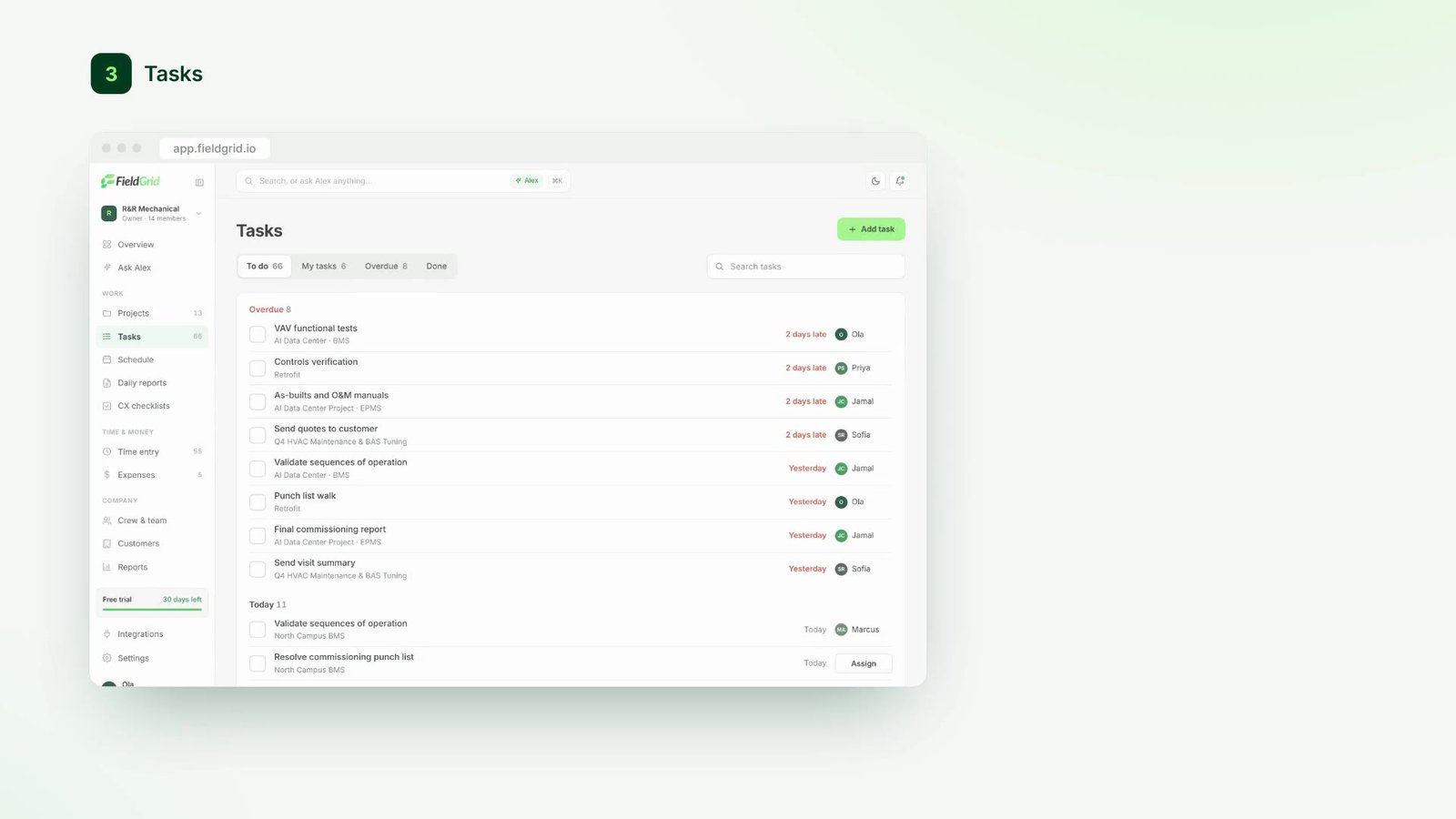
In FieldGrid, a crew lead can snap site photos, record a short voice note and tick off the checklist, and Alex turns it into a clean written summary for the project manager. The foreman never has to type a paragraph, and the office still gets a readable report.
“The first week, our foremen were done with reports before they got back to the truck. That’s when the rest of the crews started asking for it.”
Step 3: plan for no signal
Basements, plant rooms, tunnels and rural sites rarely have reliable coverage. If your tool needs a connection to save a report, crews will either lose work or fall back to paper “just for today”, and today quietly becomes every day.
Choose a tool that saves everything on the device first, including photos, checklists and voice notes, and syncs automatically when the connection comes back. Nobody should have to remember to upload later, and nobody should ever see a spinning wheel while standing at the equipment.
Test this deliberately during the pilot. Put a phone in airplane mode, complete a full daily report with photos, then switch the connection back on and check that everything arrives in the office intact and in the right order. It takes ten minutes and it will save you weeks of frustration.
Step 4: roll out crew by crew
After two to three weeks with the pilot crew, sit down with them and fix whatever annoyed them. Small changes, like reordering a checklist or adding a default value, make a big difference to how the next crews feel about the switch.
Then expand gradually. Let the pilot lead show other foremen how they use it, ideally on a real job rather than in a meeting room. Peer demos convert faster than any training session, because the person showing it has the same problems as the person watching.
- Weeks 1 to 3: pilot crew, daily log only.
- Weeks 4 to 6: add checklists and photos, and bring on two more crews.
- Week 7 onwards: roll out site by site, then retire the paper forms for good.
That last step is important. As long as the paper forms are still in the truck, some crews will keep using them. Set a date, tell everyone well in advance, and then remove them.
Step 5: change the office habits too
Going paperless is not only a field project. If the office still asks for reports by email, prints everything out, or calls the foreman for information that is already in the system, crews will rightly ask why they bothered.
- Project managers should review reports in the same place crews submit them.
- Questions about a report should be asked as comments on the report, not in a phone call.
- Issues raised in the field should get an owner and a response, visibly, so crews see that reporting leads to action.
The quickest way to build trust is to act on what comes in. When a foreman flags a missing part at 10 a.m. and sees it scheduled for delivery by lunchtime, the value of reporting on time becomes obvious.
Step 6: measure what matters
Logins and app downloads tell you very little about whether the job site is running better. Track the numbers that reflect real outcomes instead:
- Same-day report rate: the share of daily reports submitted before the crew leaves site.
- Time to office: how long it takes for an issue raised in the field to reach the person who can fix it.
- Chase rate: how often the office has to call or text for missing information.
- Photo coverage: the share of checklist items and issues that include a photo.
Review these monthly with your foremen and project managers. When the numbers improve, say so publicly. When they slip, look for the friction behind them rather than blaming the crew. Most of the time, a slow form or a missing default is the real culprit.
Common pitfalls to avoid
- Digitising a bad form. A confusing paper form becomes a confusing digital form. Simplify first.
- Too many required fields. Every mandatory field is a reason to give up. Keep them to the essentials.
- Running paper and digital side by side for months. Double entry kills goodwill quickly. Keep the overlap short.
- Ignoring the night shift and subcontractors. Make sure everyone who reports on the job has access and a quick walkthrough.
A paperless job site is not about technology for its own sake. It is about getting accurate information from the people doing the work to the people making decisions, on the same day, without anyone staying late to type it up.