
The field operations guide to getting more done with less
Practical strategies, templates and real-world examples for crews, project managers and operations leads who want fewer surprises and less admin.

Where the time actually goes
Ask any project manager where their week goes and you will hear a familiar answer: chasing updates. Calls to foremen, texts asking for photos, spreadsheets that are out of date by lunchtime, and meetings that exist mainly to find out what happened yesterday. The work itself is rarely the bottleneck. The information about the work is.
Field crews feel the same pressure from the other side. They are asked for the same details three times by three different people, they fill in forms that never seem to be read, and they get phone calls in the middle of tasks asking for things they already reported. Everyone is busy, and a surprising amount of that busyness is moving information around by hand.
This guide is about removing that overhead. None of it requires a big transformation project. It is a set of practical habits and structures that let a field team get more done with the same people.
Map how information moves today
Before changing anything, trace a single update from the field to the people who need it. Take something common, like a delayed delivery, and follow it:
- Who notices it first, and how do they record it?
- Who do they tell, and by what channel: text, call, email, paper?
- How long until the project manager knows? The client? Accounts?
- Where does the record of it live a month later?
Most teams find that one small event touches four or five tools and three or four people, and that nobody has the full picture. That map shows you exactly where time is lost and where mistakes creep in. It is also a useful conversation starter with the team, because everyone recognises the pain.
Put every update in one record
When reports, photos, checklists and schedules live in separate places, someone has to stitch them together, and that someone is usually a project manager at 8 p.m. A single project record means the update a crew captures on site is the same one the PM, the operations lead and the client see.
- Daily reports and photos attach to the right project and task automatically.
- Failed checklist items open an issue with an owner, so nothing gets lost.
- Schedule changes are visible to everyone who needs them, the moment they are made.
- Comments and decisions stay with the work they relate to, not in someone’s inbox.
The benefit compounds over time. Six months into a project, the full history of a piece of equipment, an area or a dispute is one search away, with photos and timestamps attached.
Standardise the forms, not the people
Every crew has its own way of working, and that is fine. Experienced foremen know how to run their jobs. What needs to be consistent is the record: the same checklist for an air handler startup, the same daily log fields, the same issue categories and priorities.
That consistency is what lets operations compare sites, spot patterns and give useful feedback. If one site reports delays as free text and another uses a dropdown, nobody can tell which one is actually in trouble.
A practical approach is to agree on a small set of core templates together with your best foremen, then lock them so they are used the same way everywhere. Leave room for job-specific notes, but keep the structure fixed. Review the templates every quarter and remove anything nobody uses.
Plan the week, not just the job
Long project schedules are important, but crews live week to week. A simple weekly plan that shows who is where, what needs to be finished and what is waiting on others prevents a large share of wasted trips and idle time.
- Publish the plan by Friday afternoon so crews know where they are on Monday.
- Flag dependencies clearly: inspections, deliveries, other trades, client access.
- Leave a small buffer for the unexpected rather than planning every hour.
When the plan changes, and it will, change it in one place and let everyone see the update. A schedule that only exists in a project manager’s head or a local spreadsheet cannot keep a field team aligned.
Treat issues as work, not complaints
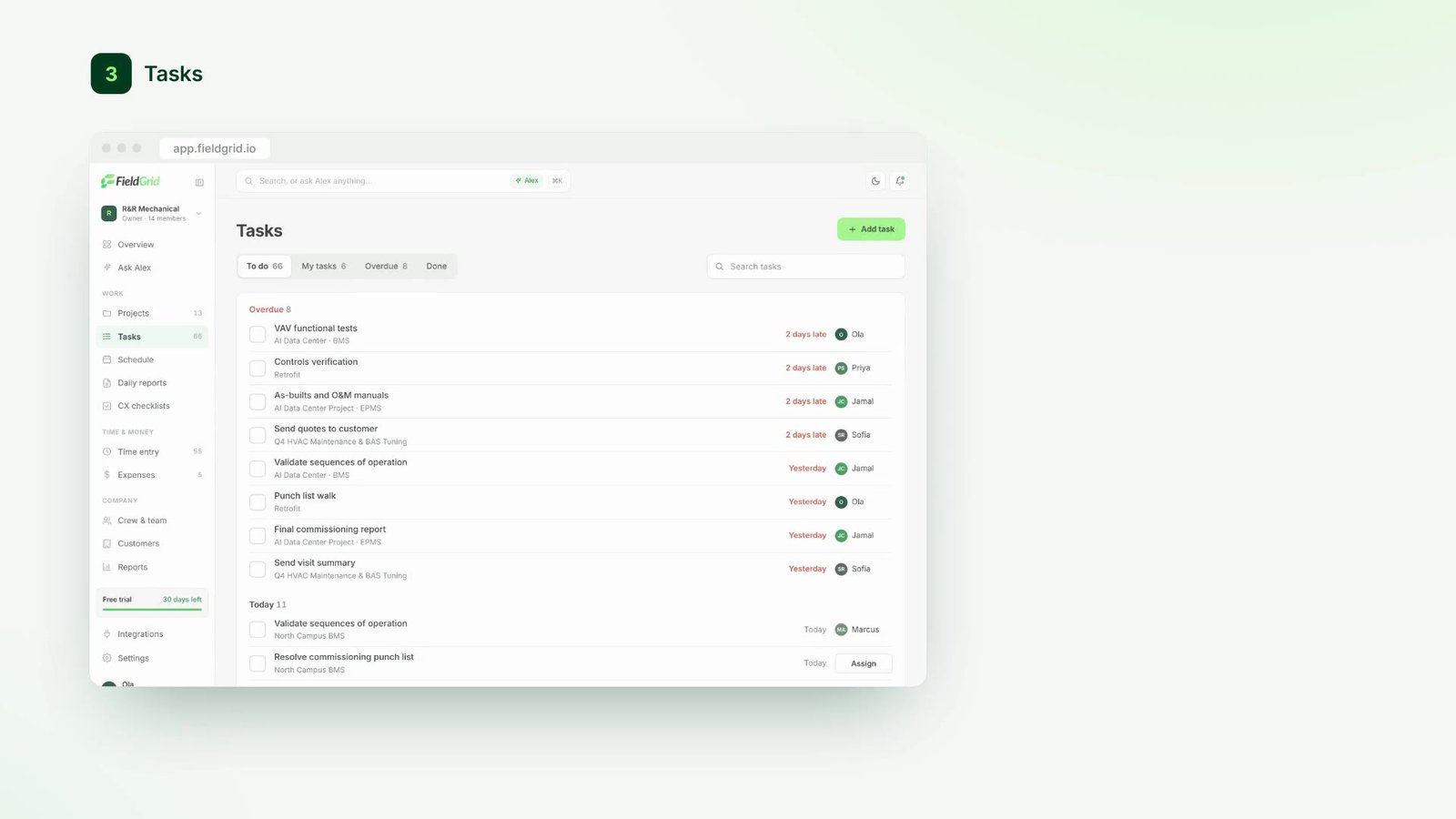
Problems on site are inevitable. What separates efficient teams is how quickly an issue moves from “someone noticed” to “someone owns it” to “it’s fixed and we have proof”.
Make it easy to raise an issue from wherever the crew is working, with a photo and a location. Give every issue an owner and a due date. Close it only when there is evidence it has been resolved. Then review open issues in a short, regular slot rather than letting them pile up for the weekly meeting.
This sounds simple, but it changes behaviour. When crews see that the issues they raise get handled, they raise them earlier, while they are still small and cheap.
Let AI do the admin, keep people in charge
AI is most useful for the work nobody wants to do: summarising a day of notes from five crews, pulling out follow-ups buried in a voice memo, or noticing that a schedule has been quietly slipping for a week. These are tasks that take a person an hour and take software seconds.
In FieldGrid, Alex drafts these as suggestions. A daily summary, a list of next steps, or a warning about a budget running ahead of progress, each linked back to the updates it came from. A person reviews and approves them before anything changes, so the team stays in control and can always see why a suggestion was made.
Good field software doesn’t add another thing to check. It removes three.
A simple operating rhythm
Tools and templates only help if there is a rhythm around them. A light, predictable cadence works better than long meetings:
- Daily: crews file reports before leaving site. Alex prepares a summary for each PM.
- Twice a week: PMs review flagged issues and approve next steps, in fifteen minutes or less.
- Weekly: operations reviews progress, spend and open risks across every site in one dashboard.
- Monthly: look at trends, celebrate the crews with the best reporting, and fix the templates that cause friction.
The aim is fewer surprises. When information flows every day, the weekly review becomes a quick confirmation rather than a discovery session.
Where to start on Monday
If all of this feels like a lot, pick one thing. For most teams, the highest-impact first step is getting daily reports filed on the same day, in one place, with photos. Everything else in this guide builds on that foundation.
Start with one project, measure how often reports arrive on time and how often the office has to chase, and expand once the numbers move. Small, visible wins build the momentum for bigger changes.