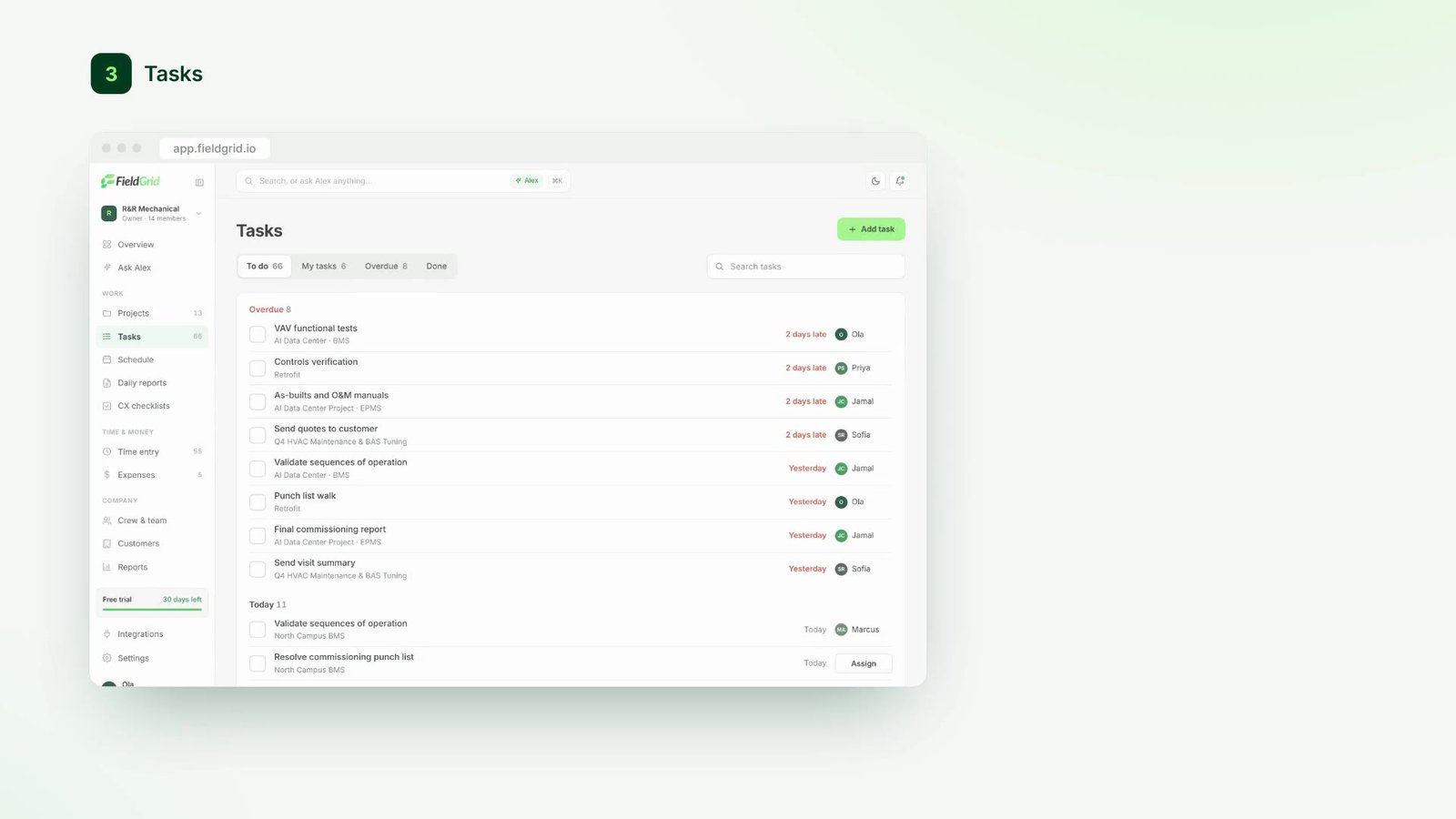
Live status at a glance
Active jobs, open issues, and items waiting for review.

Learn
 Featured guide
How to run a paperless job site
A practical walkthrough for moving daily reporting off paper.
Read the guide
Plan the work, capture what happens on-site, and act on it faster. FieldGrid brings projects, reporting, scheduling, approvals and AI together on one record.
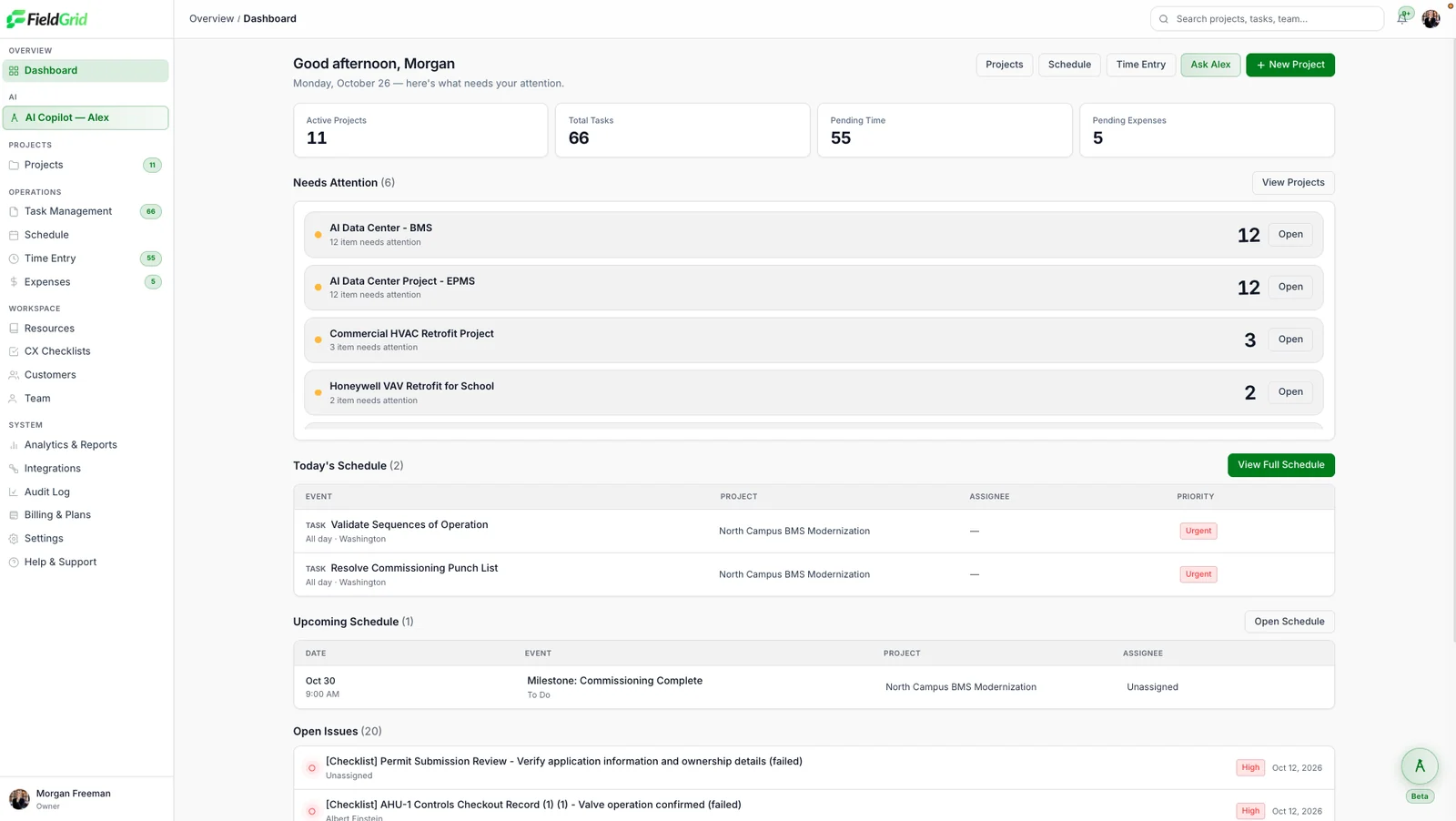
Active jobs, open issues, and items waiting for review.
Issues, reviews, and delays surface in one list.
Every module shares the same project record, so an update from the field shows up everywhere it matters. No re-keying, no chasing.
Organize jobs into projects, task groups and checklists with clear owners.
Capture reports by voice, text, photo or form, right from the jobsite.
See who is where, what's planned today, and what's slipping.
Clock in and out on site and log expenses against the right job.
Review time, reports and changes before they become part of the record.
Keep people, equipment and documents tied to the work they support.
A quick look at how FieldGrid connects your crews, projects and office.
Scroll through the screens your crews and office use every day. Watch the video tour
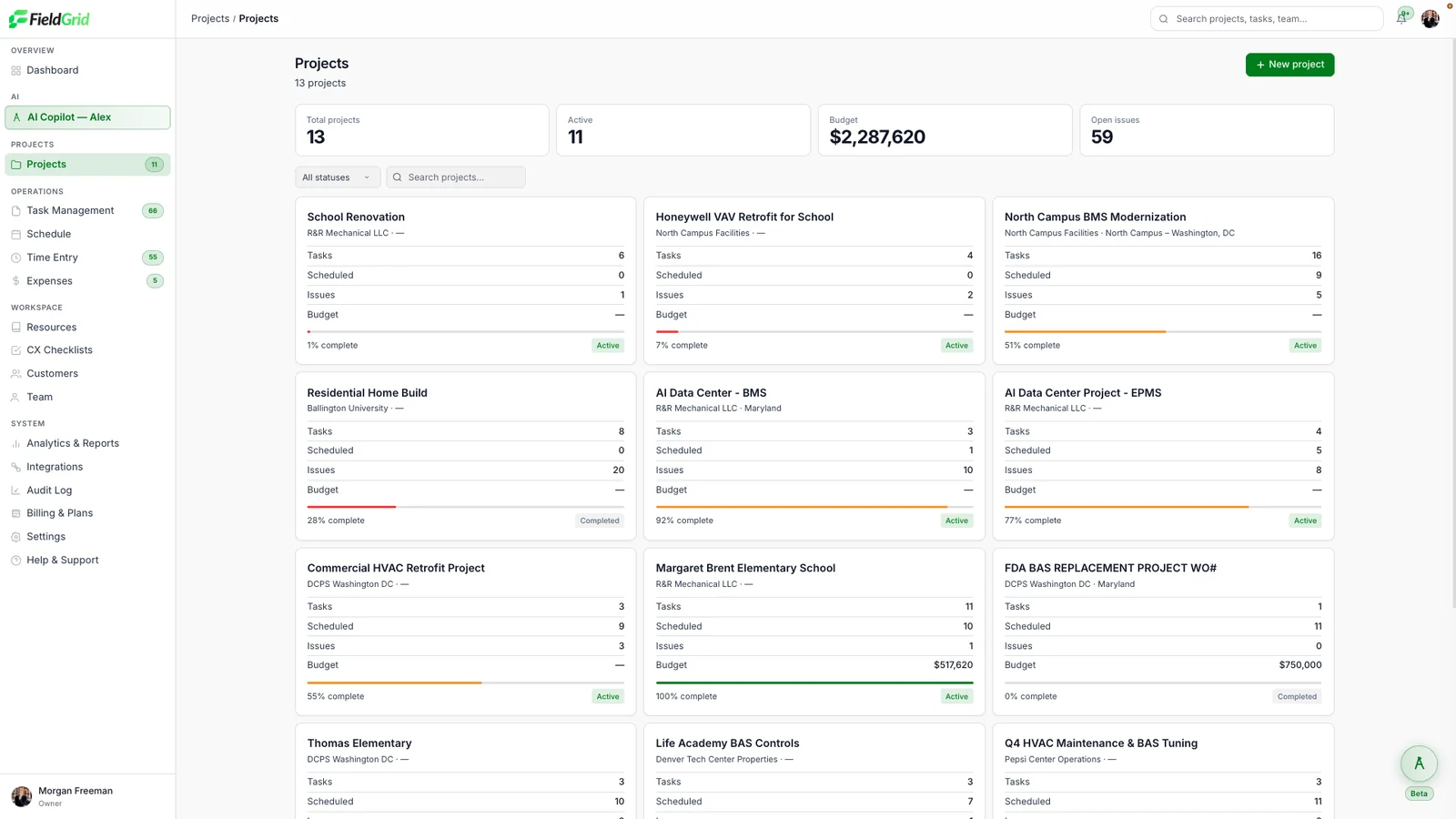
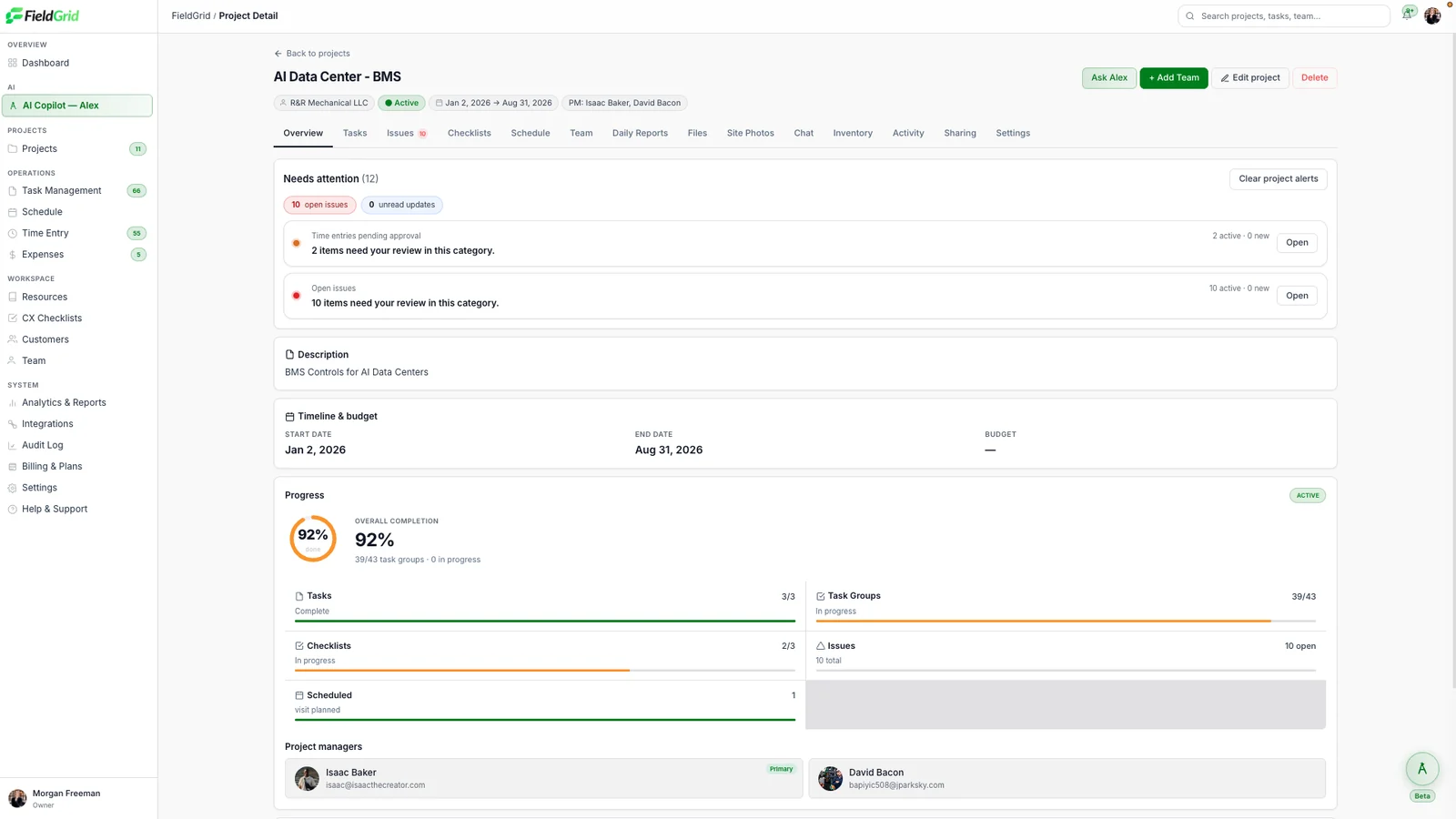
Tasks, schedule, issues and budget for each job, with completion bars that update as crews report in.
Overall completion, task groups, checklists and the people responsible, all on the project overview.
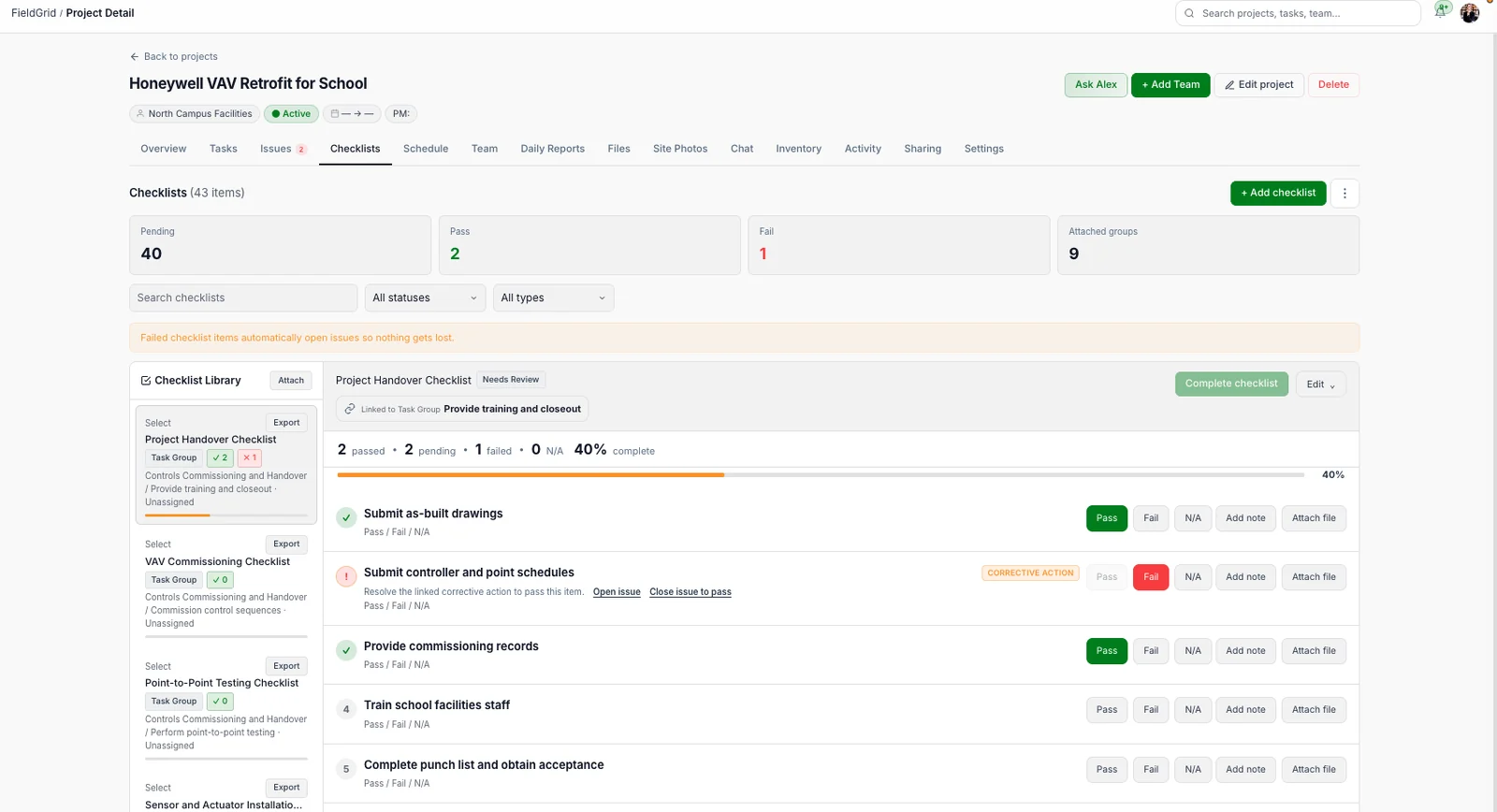
Pass, fail or N/A each item with notes and files. Failed items automatically open a corrective-action issue.
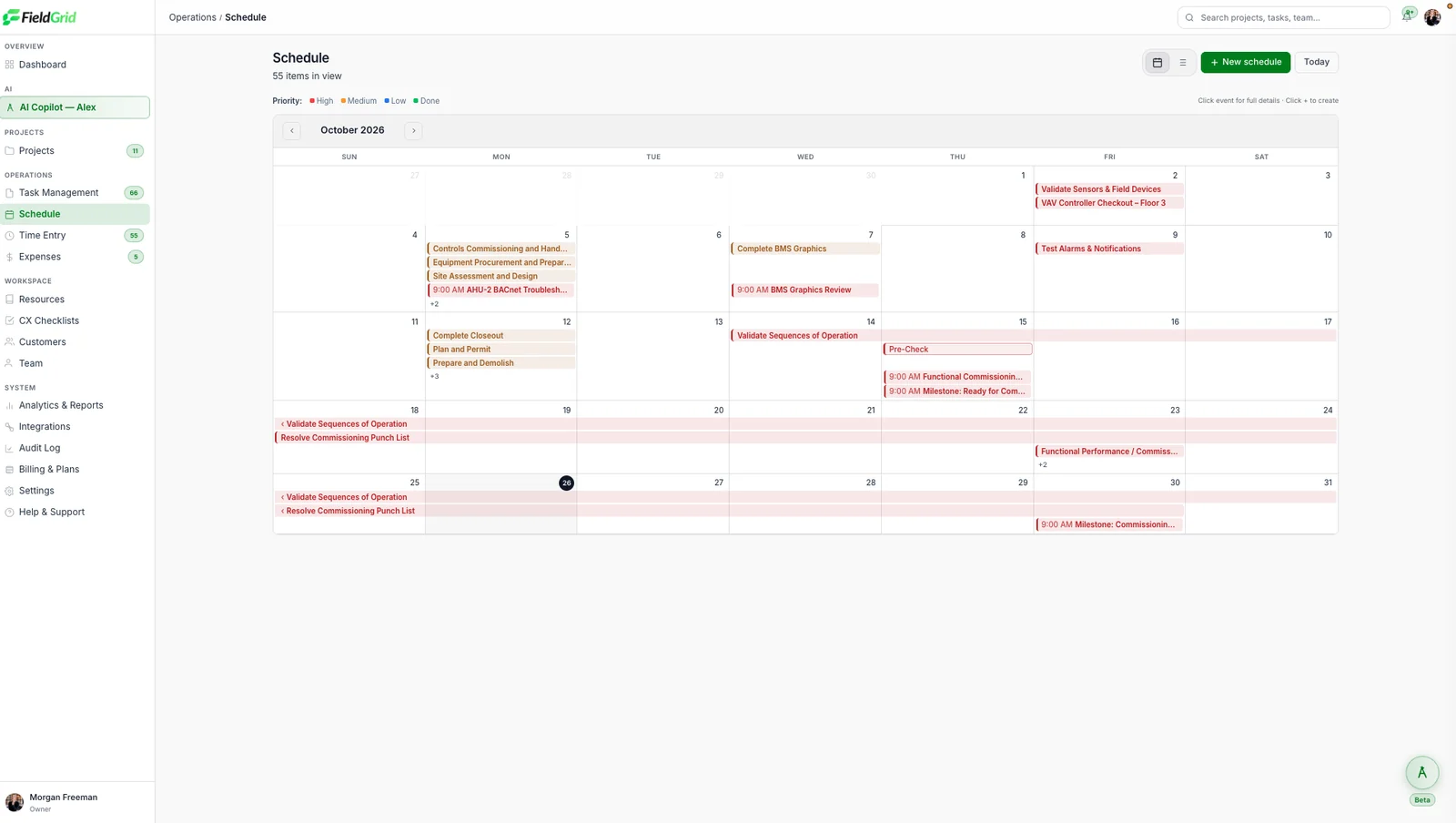
Milestones, inspections and task windows by priority, across every project or within one.
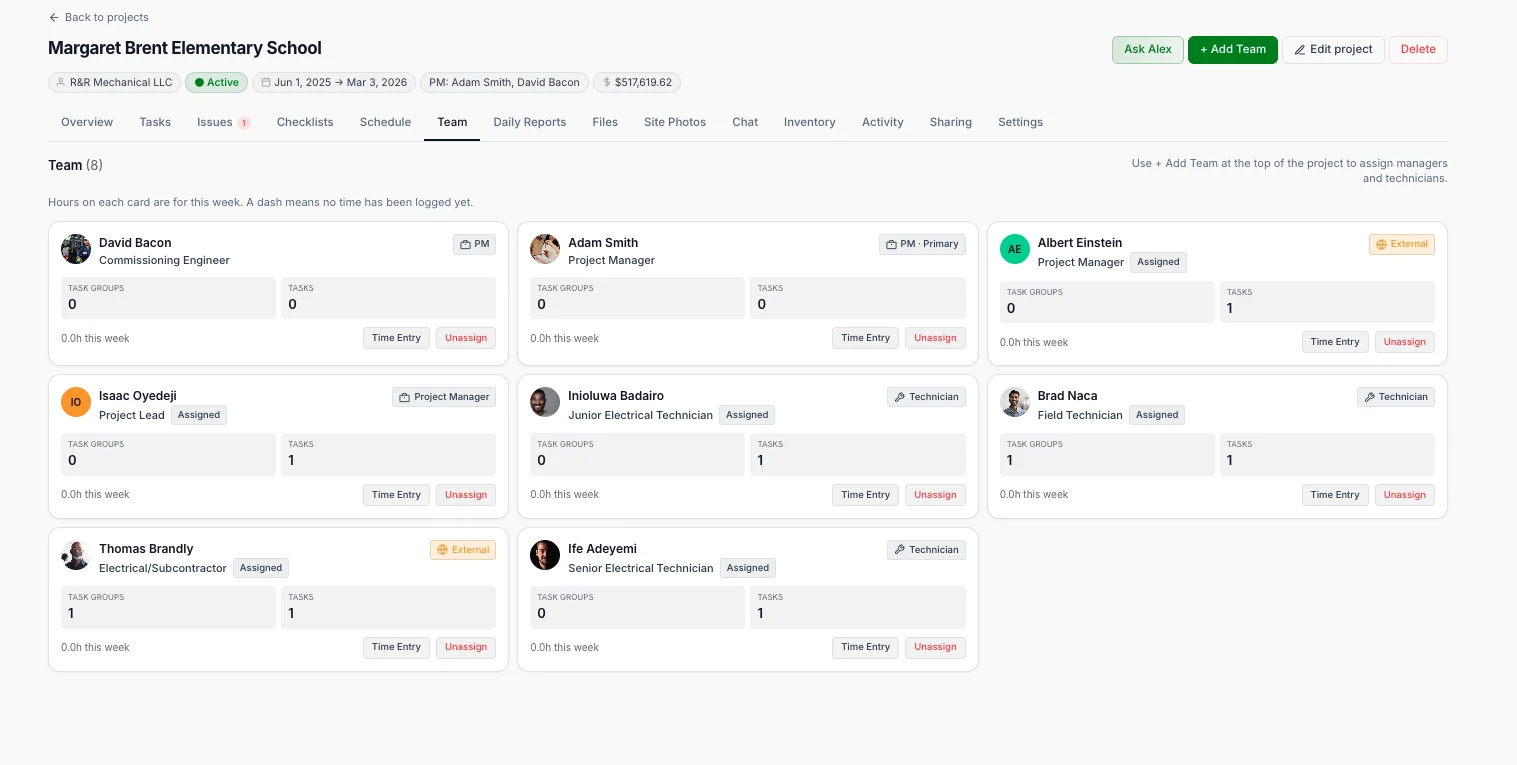
Engineers, technicians and subcontractors with their task groups, hours and roles per project.
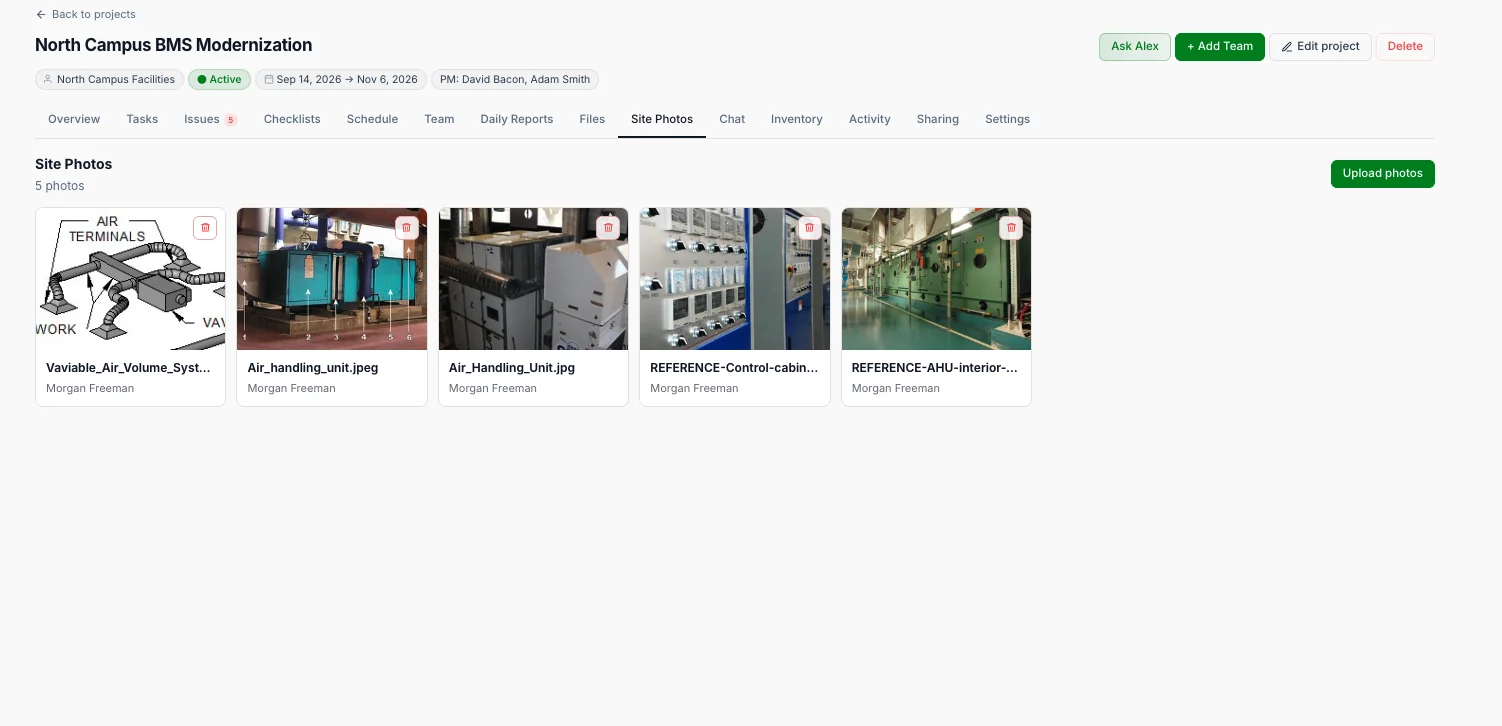
Photos land on the right project with who took them, so progress and quality are documented automatically.
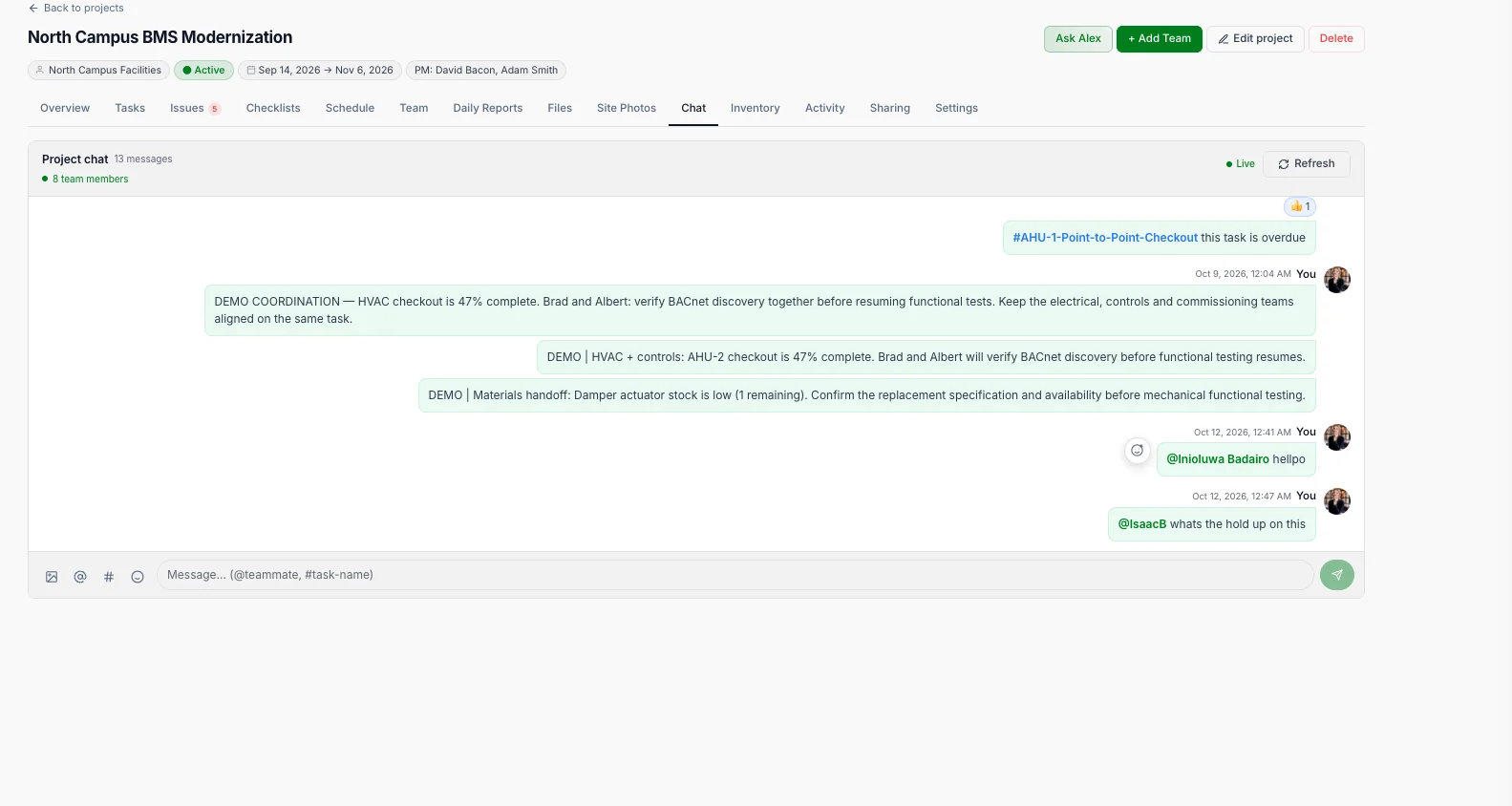
Mention teammates and tasks right where the work lives, with no more side threads in texts and WhatsApp.
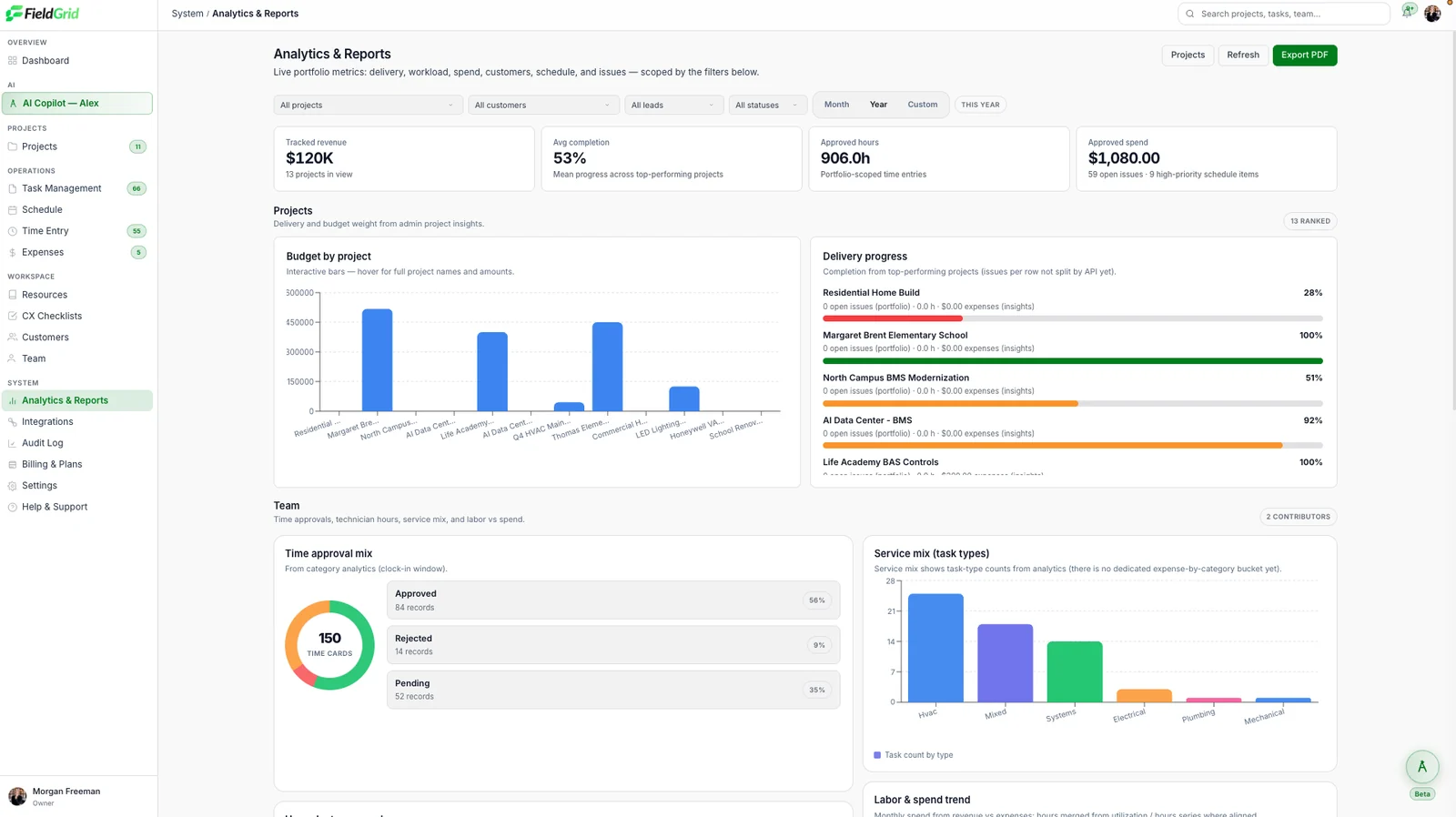
Budget by project, delivery progress, time approvals and service mix. Export to PDF in one click.
Capture what happens on-site. Turn it into useful information. Keep the work moving.
Field teams provide information through voice, text, photos, forms, or other available input methods.
FieldGrid interprets the update and connects it to the relevant job, project, checklist, or issue.
FieldGrid prepares the relevant update, issue, follow-up, or recommended next step.
Once confirmed, the record is saved and the next step becomes trackable.
Alex is FieldGrid’s AI copilot. It reads crew notes, site photos, checklists and schedules as they come in from the field, then writes the summaries, follow-ups and warnings your team would otherwise piece together by hand.
Ask it anything about your jobs in plain language. Every answer comes from your own records, shows its sources, and nothing changes until someone on your team approves it.
What’s holding up the trench work on Site A?
Notes, photos, voice memos and checklists, including work captured offline and synced later.
Summaries, action items and schedule changes, each linked to the records it came from.
Review, edit or approve in one tap. Alex never changes a job on its own.
Send reports to Slack or Teams, sync tasks to Google Calendar, keep job costs in QuickBooks and push updates to Procore.
See all integrationsYour project records are protected, permissioned and fully traceable.
SSO support and multi-factor authentication for everyone with dashboard access.
Control who can view, edit and approve across projects.
Every change is recorded with who, what and when.
Data encrypted in transit and at rest, with regular backups.